Retail POS Software in Tanzania for Dukas and Mini-Marts

Sell quickly at the counter, know what is left on the shelf and see the day's takings from your phone. SmartBiashara runs in any web browser, records M-Pesa, Tigo Pesa and Airtel Money payments against each sale, and keeps the till working when the internet drops.

  • Offline-ready POS on a phone, tablet or laptop
  • Mobile money recorded and reconciled with every sale
  • Stock falls the moment an item is sold
  • From TSh 15,000 a month, with a 14-day free trial
Retail Shops in Tanzania

Kariakoo branch · Till 2

Point of Sale

New

Today at this till

TSh 486,000

+8%

Receipts

73

Paid by mobile money

61%

Sembe 5 kgRice 5 kgCooking oil 3 LSugar 2 kgBar soap ×6Soda 500 mlMilk 500 mlBread loaf

2 × Sembe 5 kg7,500

1 × Cooking oil 3 L21,500

1 × Sugar 2 kg6,400

1 × Bar soap ×64,800

TotalTSh 47,700

M-PesaAirtel MoneyTigo PesaCash

What makes retail shops hard to run

The problems we hear most often from owners in this trade.

  • Stock disappears and nobody can say when

    You count the shelf on Sunday and three cartons of cooking oil are missing. A daftari (notebook) cannot tell you whether they were sold, given on credit or carried out the back door.

  • Mobile money and the cash box never agree

    Customers pay with cash, M-Pesa, Tigo Pesa and Airtel Money in the same hour. At closing time the phone messages and the drawer tell different stories, and the evening goes on matching them.

  • Madeni live on loose paper

    Credit sales to regular customers are written on scraps or kept in the shopkeeper's head. Balances get disputed, forgotten or quietly written off.

  • Takings are visible, profit is not

    When cost prices are not linked to each sale, a busy day can still be a poor day. A popular item priced too low can lose you money for months before anyone notices.

  • The owner cannot stand at the counter all day

    When you are at Kariakoo buying stock or visiting a supplier, the only way to know how the shop is doing is to keep phoning the person at the till.

How SmartBiashara works for retail shops

A till that runs on the device you already own

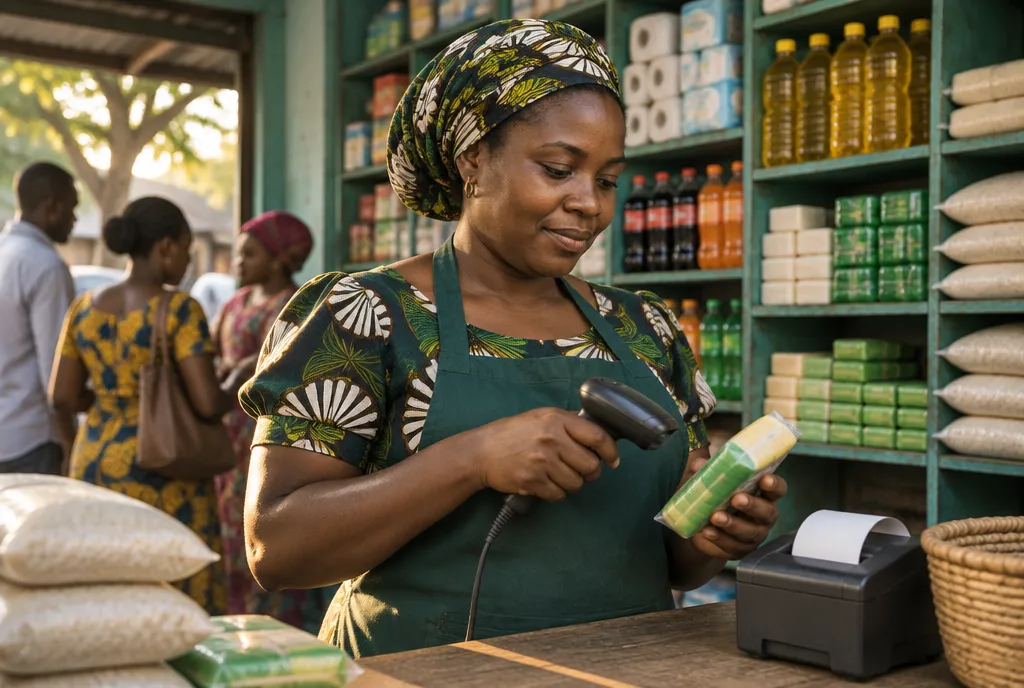
Open SmartBiashara in a browser on a phone, tablet, laptop or desktop and start selling. Find items by name or scan them with a barcode scanner. If the connection drops mid-afternoon, the POS keeps taking sales so the queue does not wait.

  • Works in any modern browser
  • Barcode scanner support
  • Offline-ready checkout
  • Separate Cashier, Manager and Admin access

Every payment method on the same receipt trail

Record each sale as cash, M-Pesa, Tigo Pesa, Airtel Money, card or bank transfer. Mobile money is reconciled against the sale it belongs to. At the end of the day you see totals per payment type instead of guessing from SMS messages.

  • M-Pesa, Tigo Pesa and Airtel Money at the till
  • Cards and bank transfers recorded
  • Totals split by payment method

Live stock with low-stock warnings

Each sale reduces the stock count straight away, so the number on screen matches the shelf. Set a minimum level for fast movers like sugar, soap and flour and the system warns you before you run out. Load your whole product list from an Excel sheet instead of typing it item by item.

  • Low-stock alerts
  • Excel bulk import
  • Stock adjustments for damage and counts
  • FIFO or LIFO stock costing

Suppliers and purchases recorded properly

Raise a purchase order, receive goods against it with a goods received note (GRN) and the stock updates on arrival. Supplier ledgers show what you owe each supplier and what you have already paid, which helps when a wholesaler gives you goods on credit.

  • Purchase orders and GRNs
  • Supplier ledgers with credit balances

Customer credit you can follow up

Give each regular customer a profile with their purchase history, credit limit and outstanding balance. Follow-up reminders help you collect before a balance grows too big. Customer profiles and credit limits come with the CRM module, available from the Basic plan.

  • Credit limits per customer
  • Ageing reports on unpaid balances
  • Invoices delivered on WhatsApp or by email

Reports you can read from anywhere

Check sales, profit and stock value from your phone while you are away from the shop. Export reports to Excel, PDF or CSV, or share them on WhatsApp with a partner or accountant.

  • Daily sales and profit
  • Stock reports
  • Export to Excel, PDF, CSV or WhatsApp

A day in a Tanzanian duka running SmartBiashara

Here is how an example grocery and household shop in Dodoma, with one owner and two cashiers, might run a normal Tuesday.

  1. 1

    7:30 am: open the till

    The cashier signs in on the shop tablet with a Cashier login. Her role limits what she can change, while the owner's Admin login sees every screen and report.

  2. 2

    8:00 am: the morning rush

    Bread, milk and washing powder are scanned in seconds. One customer pays cash, the next pays by M-Pesa, and each payment is recorded against its own sale.

  3. 3

    11:00 am: a supplier delivery

    Twenty cartons of cooking oil arrive. The owner receives them against the purchase order, the GRN is saved, the stock count rises and the supplier balance updates.

  4. 4

    3:00 pm: a credit sale

    A regular customer takes goods on madeni. The sale goes onto her account. If the shop is on the Basic plan or above, CRM also shows whether she is still within the credit limit you set.

  5. 5

    8:00 pm: closing the day

    The cashier counts the drawer against the cash total, while mobile money totals sit in their own lines. The owner opens the sales report on his phone at home and sees the day's profit.

Kariakoo branch · Till 2

Point of Sale

New

Today at this till

TSh 486,000

+8%

Receipts

73

Paid by mobile money

61%

Sembe 5 kgRice 5 kgCooking oil 3 LSugar 2 kgBar soap ×6Soda 500 mlMilk 500 mlBread loaf

2 × Sembe 5 kg7,500

1 × Cooking oil 3 L21,500

1 × Sugar 2 kg6,400

1 × Bar soap ×64,800

TotalTSh 47,700

M-PesaAirtel MoneyTigo PesaCash
Illustrative screen with sample data

The retail checkout: scan or search items, choose cash or mobile money, and watch stock fall as each sale completes.

What changes for your business

  • Fewer unexplained stock losses

    Every sale, delivery and adjustment leaves a record. When the count is short, you can see where the gap started.

  • A shorter evening count

    Payment totals are already split by method, so the evening count is a check rather than an investigation.

  • Madeni that actually come back

    Balances and limits sit on each customer's account, which makes the conversation about paying simple and factual.

  • Pricing based on margin

    With cost and selling price on every line, you can spot the items that sell well but earn little and adjust them.

  • A clear path to a second shop

    The Basic plan covers up to three locations, so opening another duka does not mean starting a new system.

Frequently asked questions

Still have a question? Ask our team on WhatsApp, phone or email.

What is the best POS software for a retail shop in Tanzania?

The best POS for a Tanzanian shop is the one that keeps working when the internet is unreliable, records mobile money properly and tracks stock without extra effort. Price in shillings and local support by phone or WhatsApp matter too. SmartBiashara was built around those needs, but the honest test is to try it with your own products. The 14-day free trial needs no credit card, so you can compare it side by side with any other system.

Do I need to buy a special POS machine?

No, you can use a phone, tablet, laptop or desktop you already own. SmartBiashara runs in a web browser, so there is no special terminal to buy. Many shops add a barcode scanner to speed up the counter, and the system supports scanners out of the box.

What happens when the internet goes off?

The POS is offline-ready, so the cashier can keep selling during an outage instead of sending customers away. Ask our team to show you how offline mode behaves on your own devices during the free trial, before you depend on it on a busy day.

How much does SmartBiashara cost for one shop?

The Starter plan is TSh 15,000 a month for one location, five users and up to 1,000 products. If you need customer credit tracking through CRM or plan to open more branches, the Basic plan is TSh 35,000 a month and covers up to three locations. Prices exclude VAT, and paying yearly costs ten months' price for twelve months.

Can I sell to customers on credit?

Yes, you can record credit sales and track what each customer owes. Credit limits, customer profiles and follow-up reminders come with the CRM module from the Basic plan. Receivables and ageing reports show which balances are getting old.

Does SmartBiashara connect to my EFD machine?

SmartBiashara records your sales and produces the reports you need, but we do not advertise a direct EFD or VFD connection. Ask our team on +255 749 900 050 about your fiscal-device setup before you switch.

I run a small kiosk. Is there something simpler?

Yes, MiniPOS is a phone-first POS app made for kiosks and very small shops. It suits owners who want to record sales and stock on one phone without the full ERP. If the business grows, you can move up to SmartBiashara ERP later.

Run your duka from one screen

Start the 14-day free trial, load your products from Excel and make your first sale today. No credit card is needed, and our team answers on WhatsApp and phone Monday to Saturday, 8am to 8pm.